Pay-ins
Accept the methods people use every day: UPI and IMPS in India, bank transfers and Kakao Pay in South Korea, Pago Móvil in Venezuela, CVU in Argentina, Havale in Turkey, cards and wallets in Europe.
Your customers pay with the methods they already use at home. USDT goes to your wallet automatically once your balance reaches your threshold. If your market isn't on the list yet, we build the route.



 PhonePe

 Bank transfer
 Pago Móvil
 CVU/CBU
ATLAS runs the whole payment path itself: local accounts, routing, confirmation apps and the ledger. When a route slows down, we see it in our console and move the traffic.
6 markets
India, South Korea, Argentina, Venezuela, Turkey, Europe and the UK
Auto-settle
USDT to your wallet when your balance reaches your threshold
24/7
Technical and operations support
Pay-ins, pay-outs, routing and settlement run through the same integration, and you see all of it together.
Accept the methods people use every day: UPI and IMPS in India, bank transfers and Kakao Pay in South Korea, Pago Móvil in Venezuela, CVU in Argentina, Havale in Turkey, cards and wallets in Europe.
Send money to local accounts and cards: UPI and IMPS, bank transfers, Pago Móvil, SEPA Instant and card pay-outs by OCT.
Every payment goes to a route that can take it right now. If one slows down, traffic moves to the next route on its own, with weights and failover order set per merchant and market.
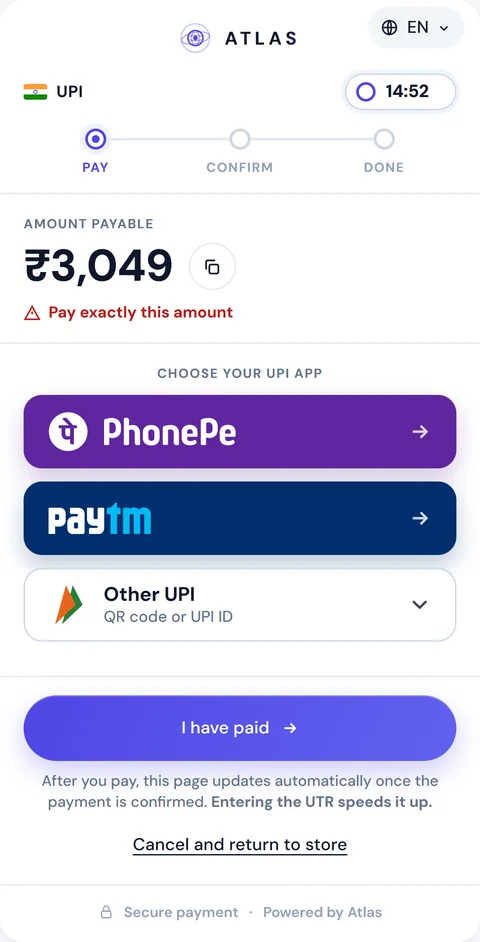
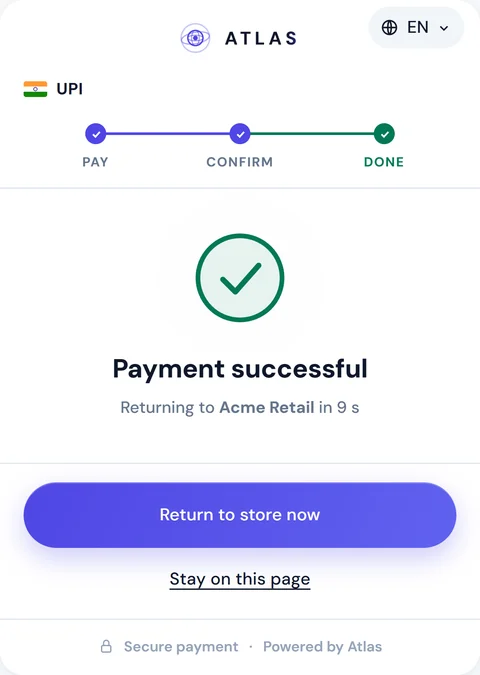
A hosted pay page in English, Hindi and Korean. PhonePe and Paytm buttons open the app with the amount already filled in. A tracker shows the buyer each step, and the page then returns them to your site. Use your own colours, fonts and logo.
Every payment is credited in USDT, and auto-settle sends it to your wallet. You can also withdraw on request, from the dashboard or through the API.
Take payments on your own local accounts and earn commission in USDT on every completed order.
For tradersIntroduce merchants or invite traders, and earn a share of their volume in USDT.
For affiliatesStart in the sandbox. It runs the same contracts as production.
Signed webhooks on final statuses and dispute events, up to 10 delivery attempts
POST /api/merchant/pay-in{ "amount": 3049, "currency": "INR", "paymentMethod": "upi", "merchantOrderId": "order-12345", "checkout": { "returnUrl": "https://shop.example/done" }}201 Created{ "payInId": "5e6f7a8b-9c0d-41e2…", "amount": 3049, "checkout": { "url": "https://api.atlas-online.io/pay/…" }}We reply with the methods and the route for your market and volume.
or write to business@atlas-online.io